Introducing Vision Portal 2.0

See Inside Every Headset. Control Every Training Session. Measure Everything.

Vision Portal is the enterprise command center for VR training — giving trainers live visibility, real-time control, and performance analytics across every device, site, and learner.

Vision Portal

Trusted by Global Leaders in Energy, Utilities, and Manufacturing

avangrid
siemens
toyota
toronto hydro
hydro one
What is Vision Portal

The Command Center Your VR Training Program Is Missing

Most organizations buy VR headsets and training content — then lose visibility into what happens next. Who completed what? Where are trainees struggling? Is the investment actually working?

Vision Portal 2.0 closes that gap. It's a cloud-based platform that gives trainers and L&D leaders real-time control over every VR training session, device, and learner across your organization — from a single dashboard.

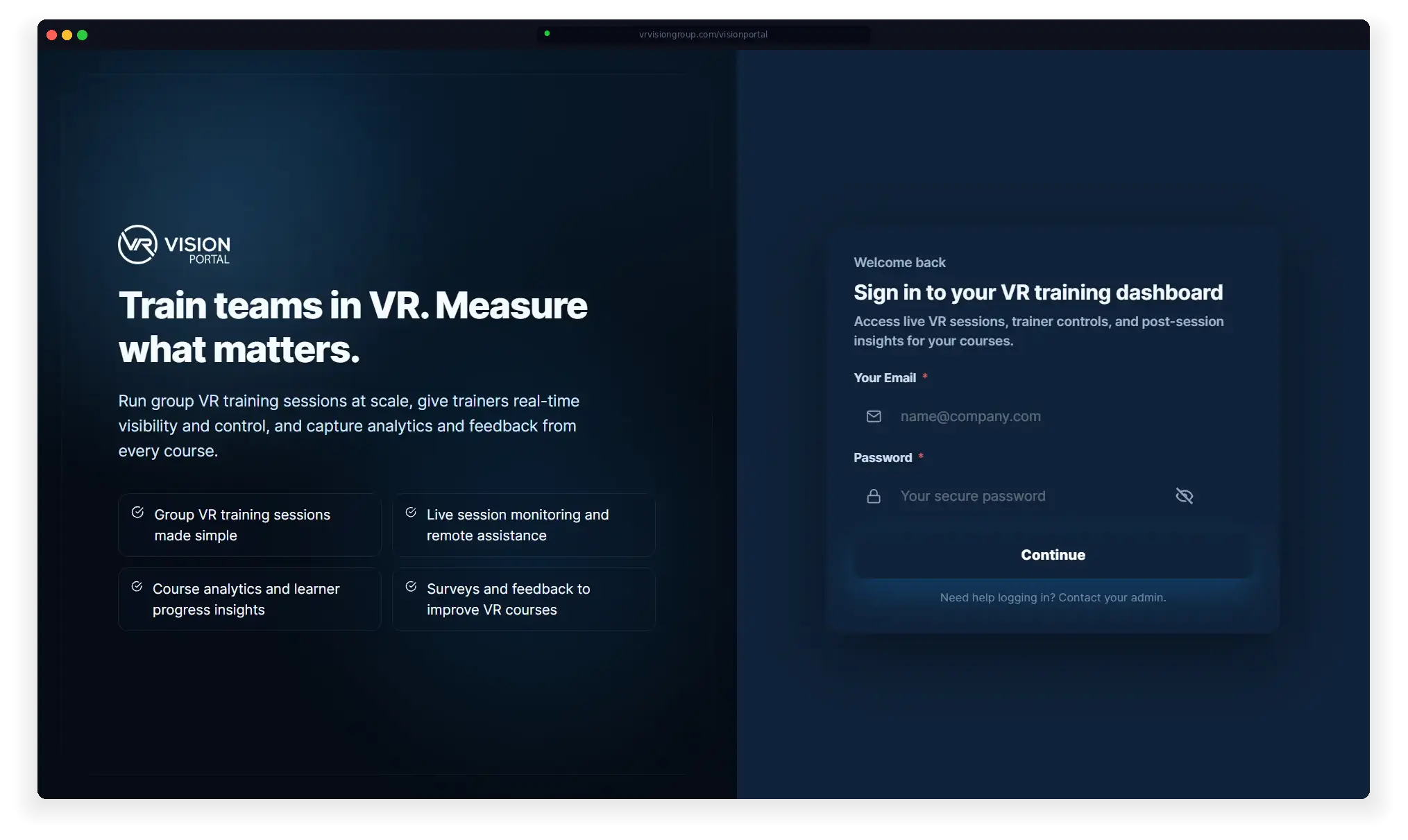
Vision Portal login
remote assistance
Live Remote Assistance

See inside every headset and guide trainees in real time

course management
Course Management

Deploy and manage VR content across devices globally

training analytics
Training Analytics

Track completion, performance, and ROI across every site

REMOTE ASSISTANCE

See What Your Trainees See — Live

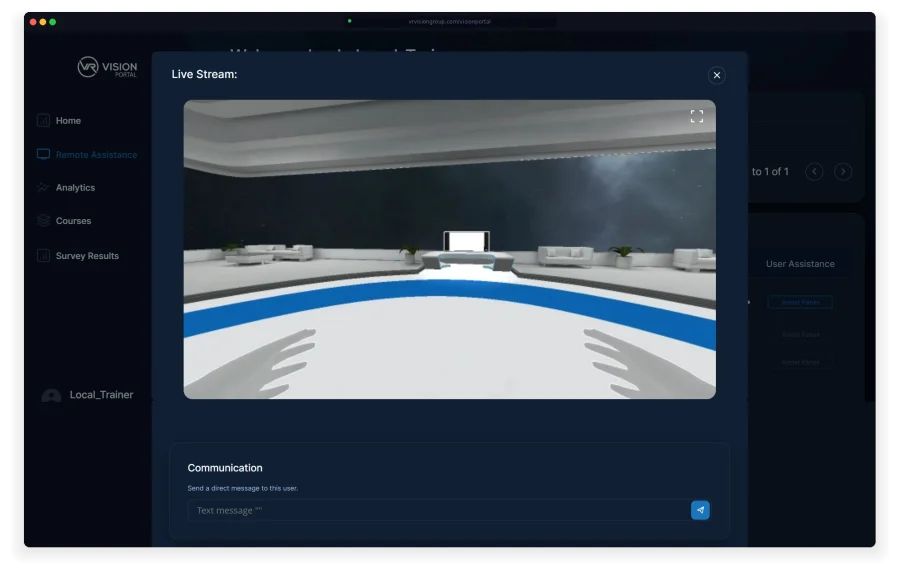
Vision Portal streams a first-person feed from every connected headset directly to your browser. No extra software, no screen-sharing workarounds. From the same dashboard, trainers can send real-time guidance, skip steps, control course progression, and communicate directly with trainees — whether they're in the next room or across the country.

Vision Portal - Remote Assistance
Trainer DASHBOARD

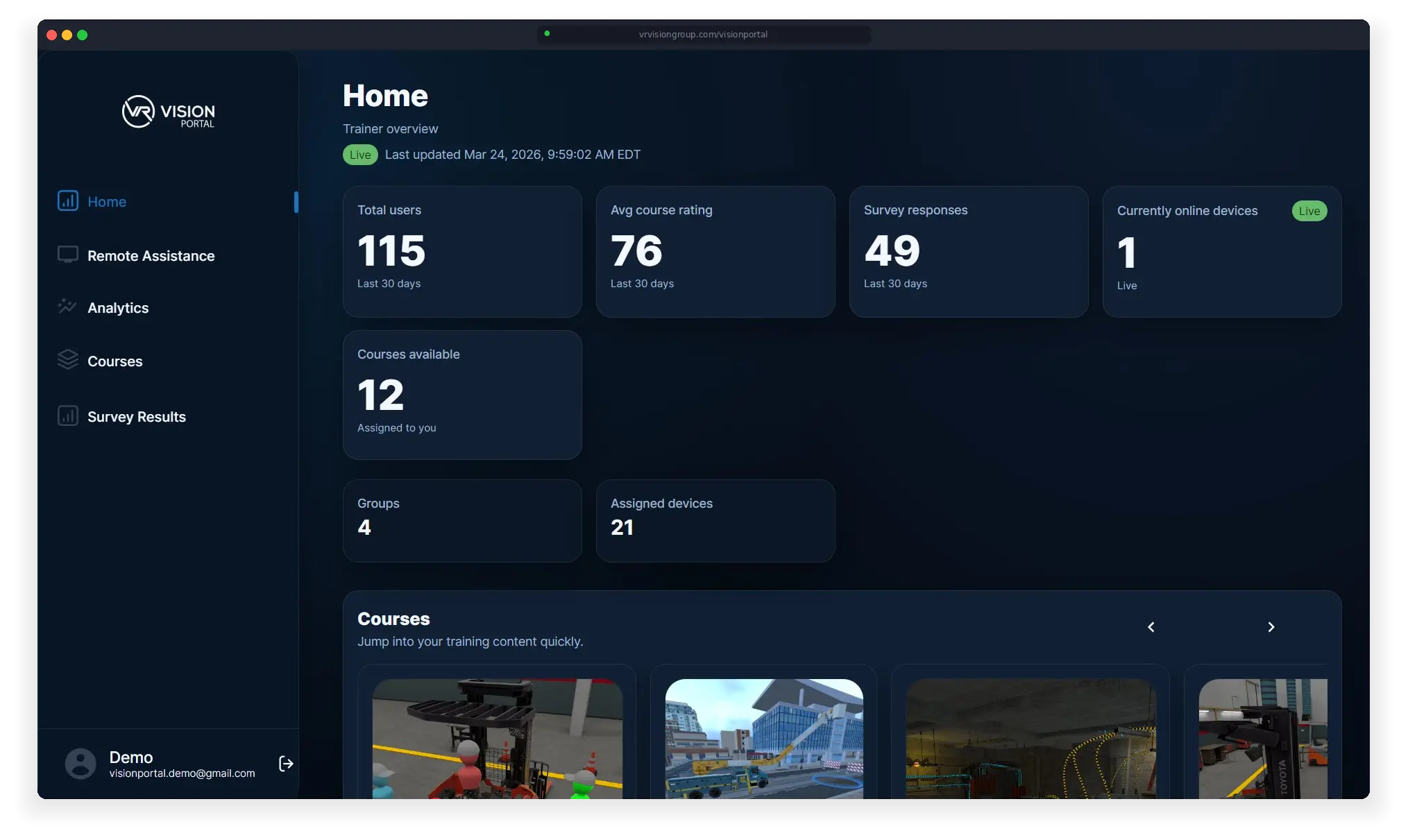
Every Device, Every Learner, One Screen

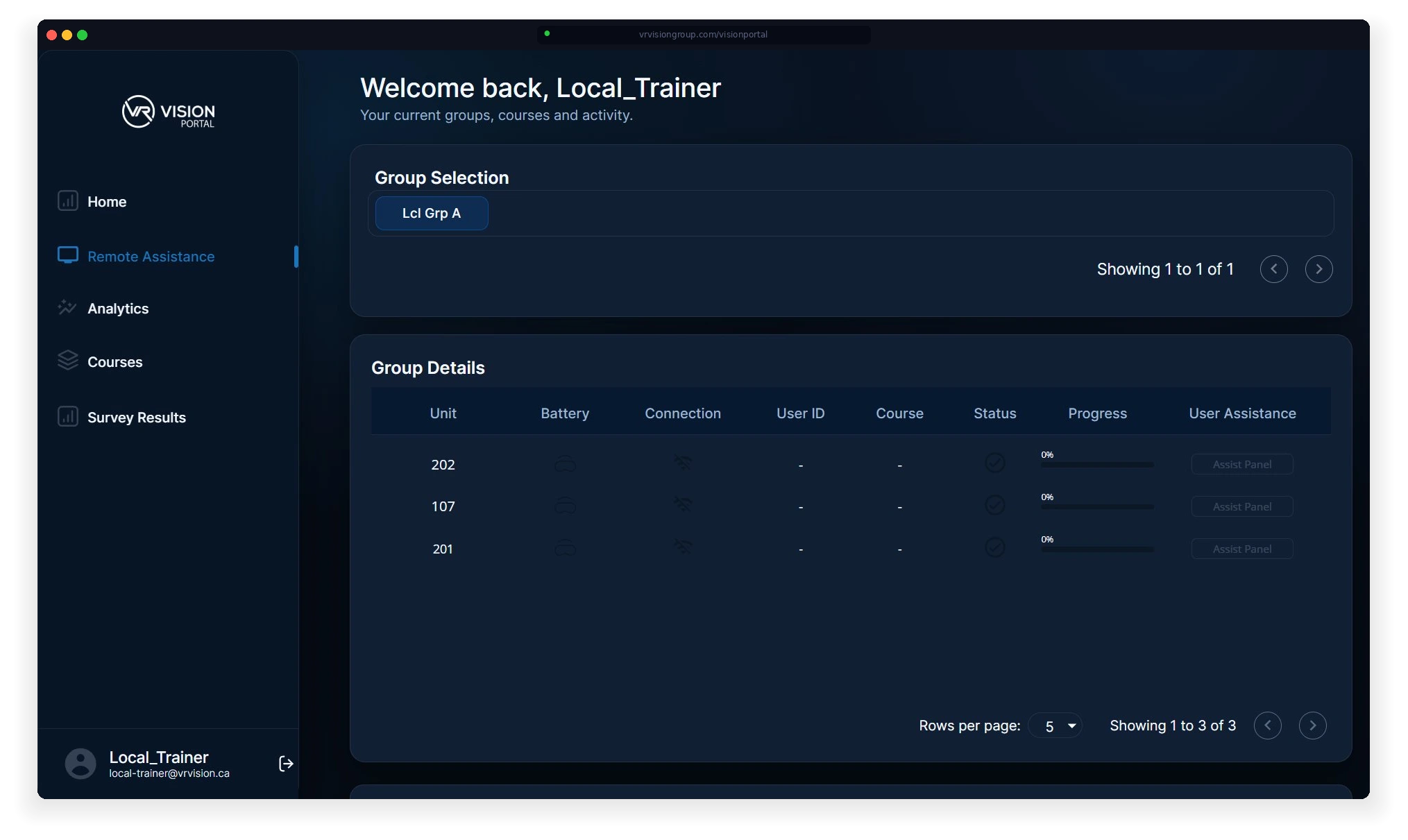
Vision Portal gives trainers full visibility into their VR fleet from a single view. See which headsets are online, check battery and connection status, track course progress, and launch real-time assist sessions — all without leaving your browser.

Organize learners into groups, assign courses by team or location, and monitor training completion across your entire deployment.

Vision Portal Dashboard
Training Analytics

Know Exactly What's Working — and What Isn't

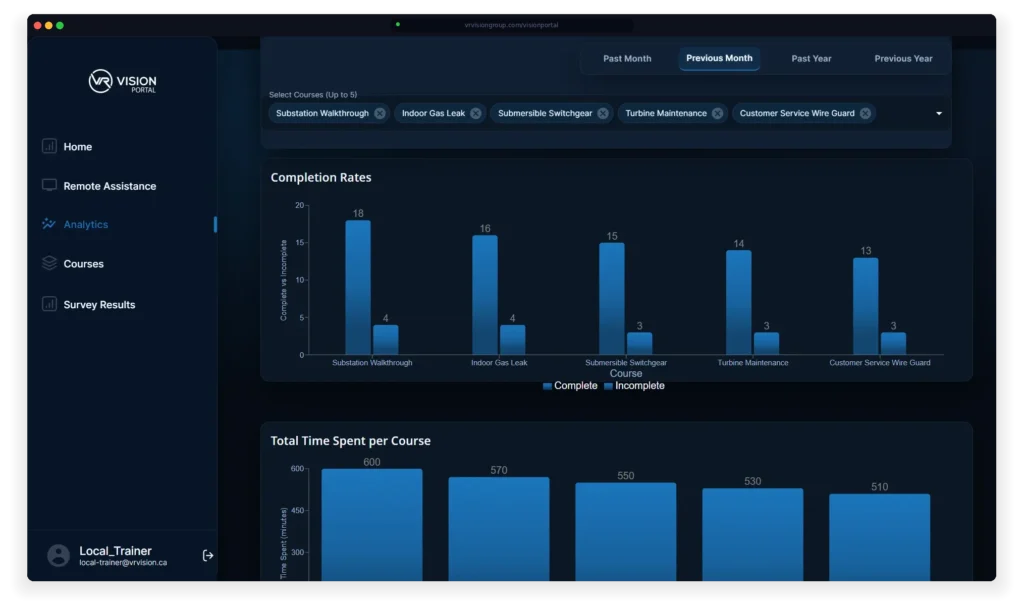
Vision Portal tracks completion rates, time spent, and learner progress across every course in your program. Filter by time range, compare up to five courses side by side, and identify where trainees are dropping off or falling behind.

This isn't vanity data. These are the numbers your safety team, operations leads, and executive sponsors need to see — proof that your training investment is reducing risk and accelerating time-to-competency.

Vision Portal Analytics
Course Management

Deploy and Manage VR Content From One Place

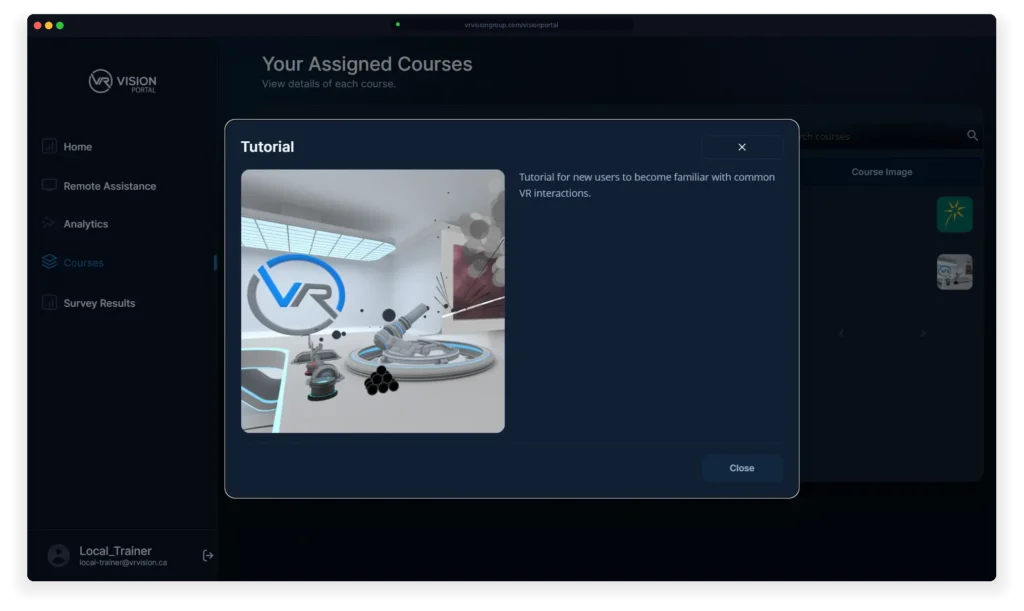
Vision Portal acts as your central library for every VR training module across your organization. Assign courses to individuals or groups, preview content before deployment, and search across your entire catalog.

Built on the OpenXR framework, Vision Portal supports content from any compatible device — Meta Quest, Pico, or PC-based VR — and can integrate third-party training modules alongside your custom-built simulations.

Vision Portal Courses
SURVEYS & FEEDBACK

Close the Loop Between Training and Performance

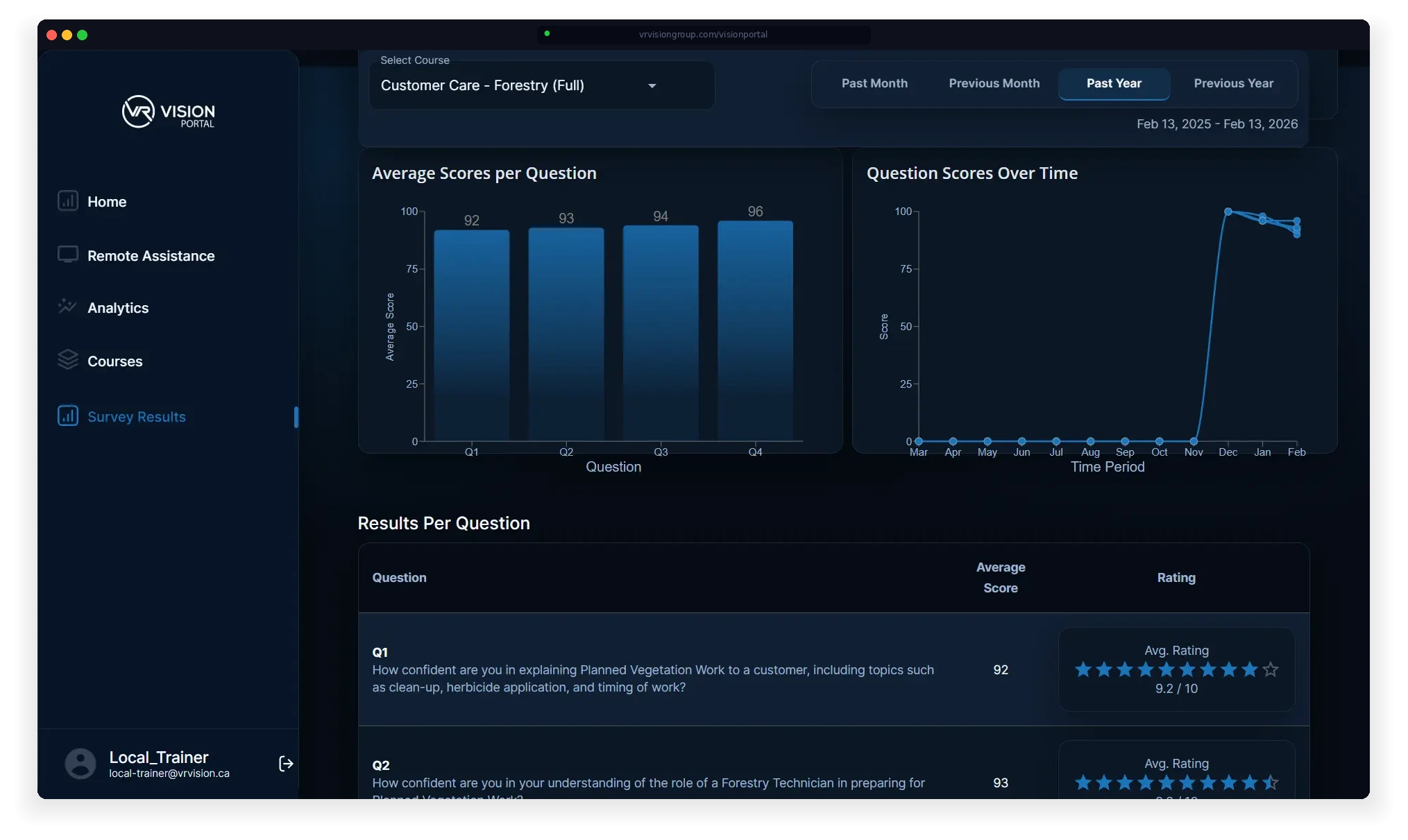
After every VR session, Vision Portal captures structured feedback through built-in surveys — measuring trainee confidence, comprehension, and readiness. Track average scores per question, monitor trends over time, and drill into results by course.

This is how you prove training effectiveness to stakeholders: not with anecdotal feedback, but with scored, timestamped data tied directly to specific courses and learner cohorts.

Vision Portal Surveys
READY TO SEE IT LIVE?

Your Training Platform Should Show You What's Happening — Not Just What Happened

Vision Portal 2.0 gives trainers live headset feeds, real-time session control, course management, and performance analytics — all from one browser-based dashboard. No installs. No extra software. Just visibility.

SOC 2 Compliant · ISO 27001 · Offline & On-Premise Deployment Available · Meta & Pico Authorized Partner

Frequently Asked Questions

Everything You Need to Know About Vision Portal

What is Vision Portal and how is it different from an LMS? +
Vision Portal is a cloud-based VR training management platform built specifically for immersive learning. Unlike traditional LMS platforms that only track course completions, Vision Portal gives trainers live first-person video feeds from inside each VR headset, real-time session controls, device fleet management, and performance analytics tied to business outcomes like error reduction and time-to-competency.
What VR headsets does Vision Portal support? +
Vision Portal is built on the OpenXR framework and supports all major standalone VR headsets, including Meta Quest 3, Meta Quest Pro, Pico 4 Ultra Enterprise, and HTC Vive Focus. It also supports PC-powered VR setups. The platform is hardware-agnostic, so you can mix devices across sites without compatibility issues.
Is Vision Portal secure enough for regulated industries? +
Yes. VR Vision maintains SOC 2 and ISO 27001 compliance with enterprise-grade encryption and access controls. Vision Portal supports SSO integration, multi-factor authentication, role-based permissions, and air-gapped deployment for environments that require fully isolated networks — including nuclear facilities, defense, and government agencies.
Can Vision Portal integrate with our existing LMS or SSO? +
Yes. Vision Portal integrates with major enterprise systems including Azure Active Directory, Workday, Cornerstone, and other LMS/SSO platforms. Training completion data, analytics, and survey results can sync with your existing learning ecosystem so VR training results appear alongside your other training programs.
How long does it take to deploy Vision Portal? +
Vision Portal can be deployed within days for organizations using existing VR training content. For custom simulation development with digital twin environments, typical project timelines range from 12 to 20 weeks depending on complexity. VR Vision handles the full deployment, including device configuration, MDM setup, user onboarding, and trainer certification.